Invoice Approval from Candis


01:04
With Candis, you can easily approve invoices on a daily basis. Simply set up a release workflow with customised rules and approval limits. This allows you to maintain an overview – and complete control over the respective processes.
Including substitution rule with absence note
Automatic reminders for pending approvals
Role-specific access rights + responsibilities
Any number of users + companies possible
01:04
This is what our customers say.


Your Approval Process Begins with the Invoice Receipt
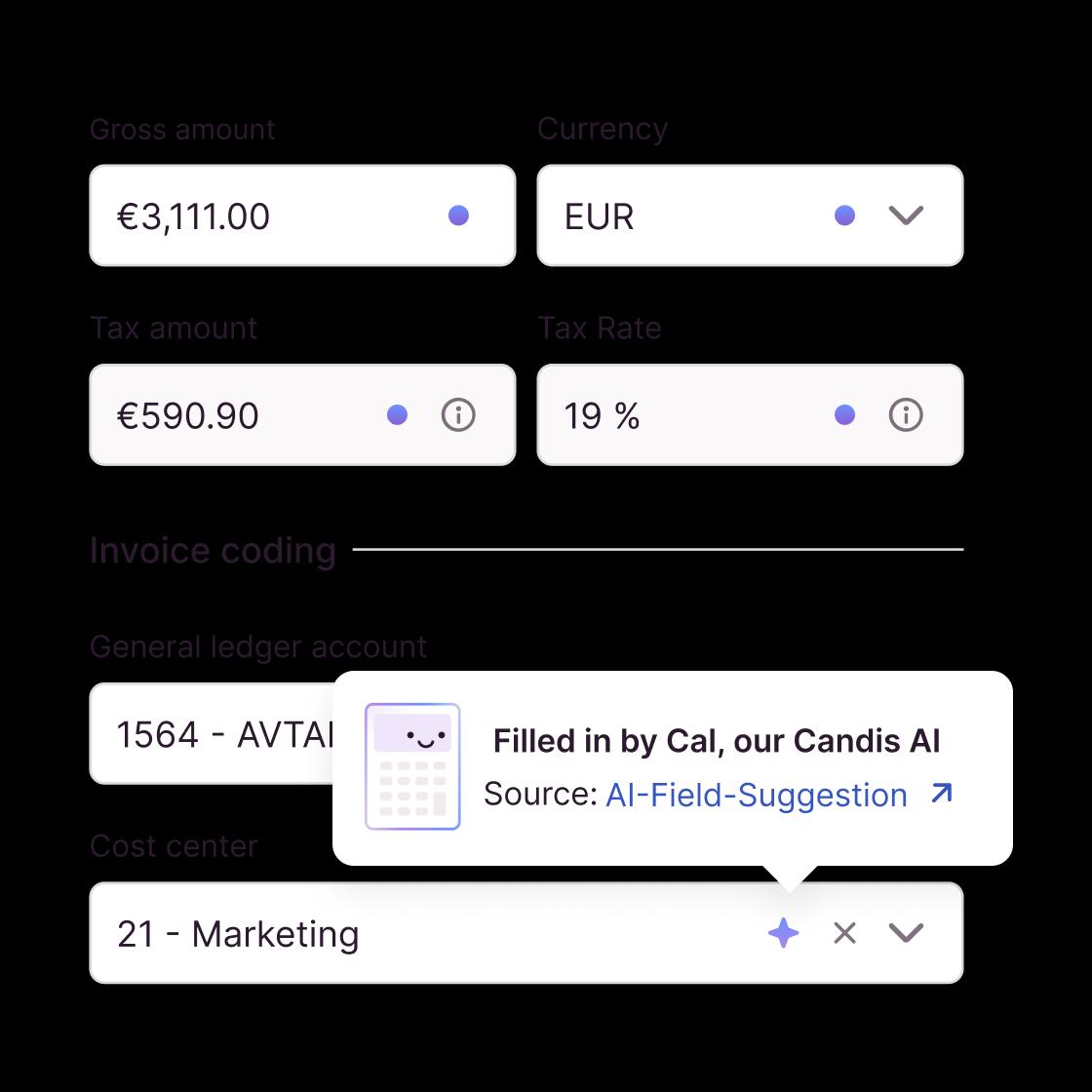
Less paper, less manual typing, fewer sources of error: With Candis, you create a new order right from the start – in your digital invoice receipt.
Centralised: Collect all digital invoices (and e-invoices) centrally in one place – in the cloud
Automated: Our OCR-supported data capture recognises all invoice data automatically
In this way, the first step has already been taken to approve the invoice for payment.
Before Approving the Invoice: Clarify Open Questions
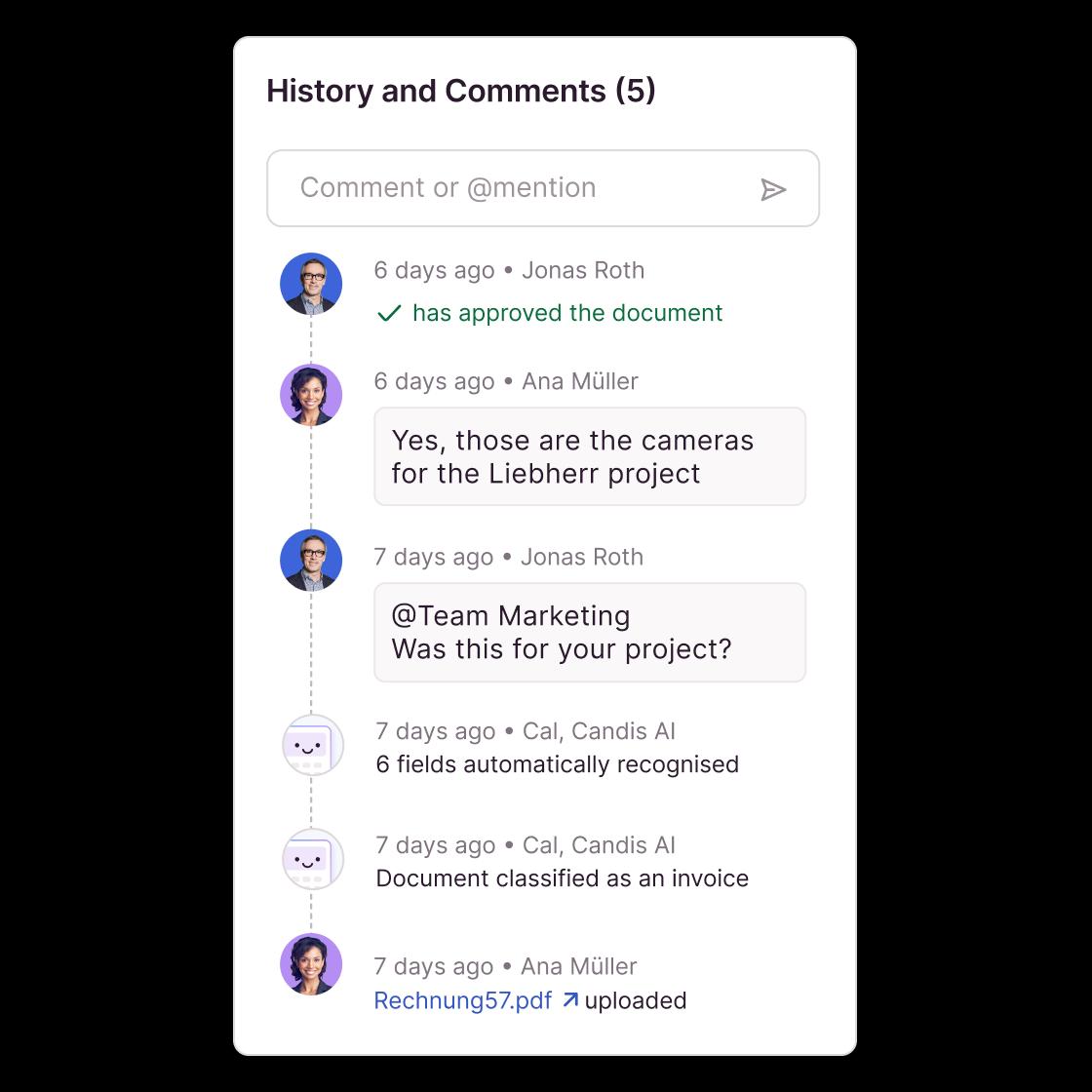
We enable you to contact your suppliers directly so that queries no longer become a blocker in the approval workflow. And this is how it works:
Ready-made sample email – open with one click
Import recipient address from core data
Add important data, send, done!
This way, you have cleared all obstacles out of the way in advance if you want to approve an invoice for payment.
Substitution Management
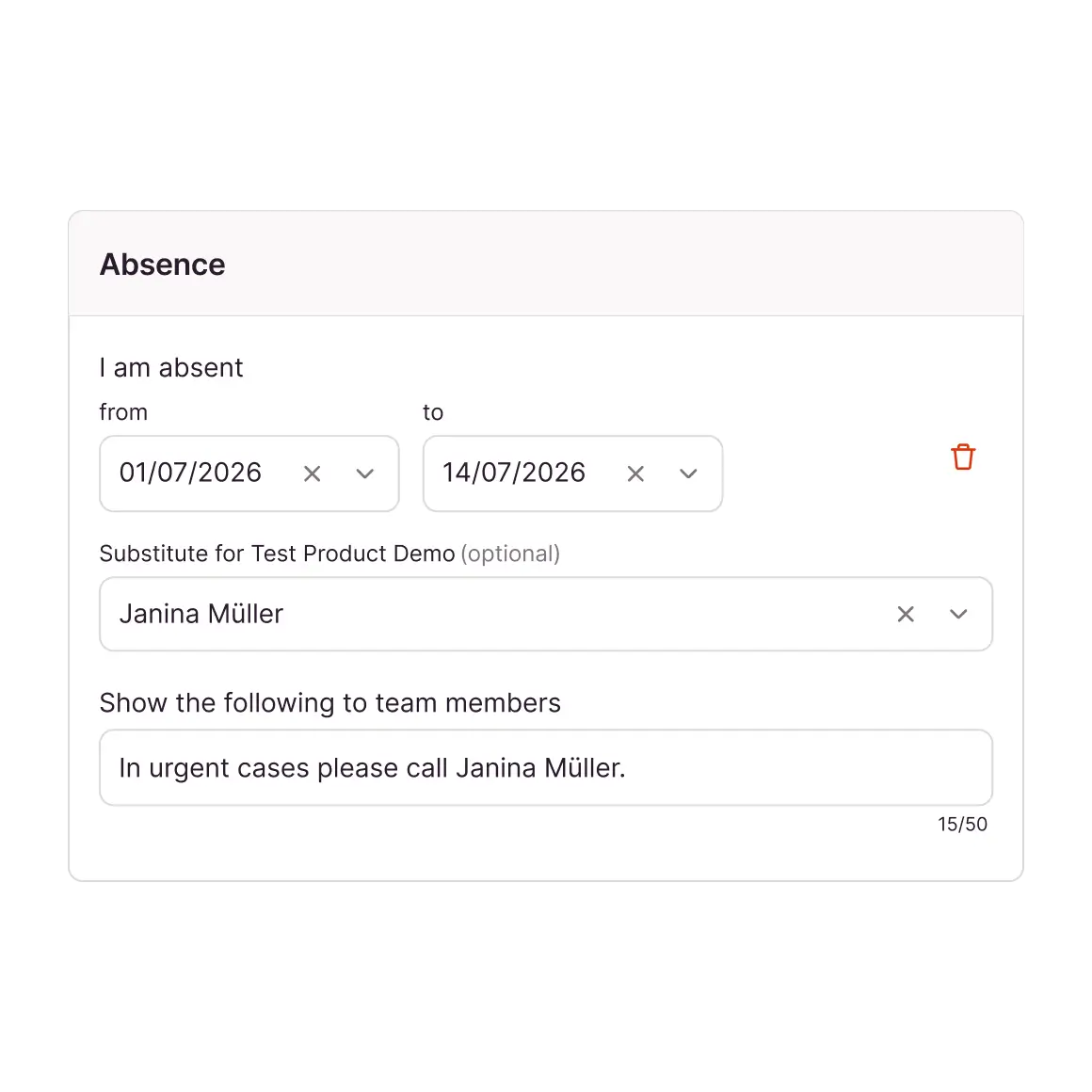
Candis enables a seamless approval process – even in your absence. With a substitute appointed by you, all processes relating to invoice approval simply continue. Without interruptions.
Automatic forwarding of approvals to your substitute
Absence note indicates absence periods in good time
No unnecessary delays due to absent employees
Your Final Step in the Approval Workflow
Unlike conventional invoice approval software, we make it possible to approve invoices with just a few clicks – no matter where you are.
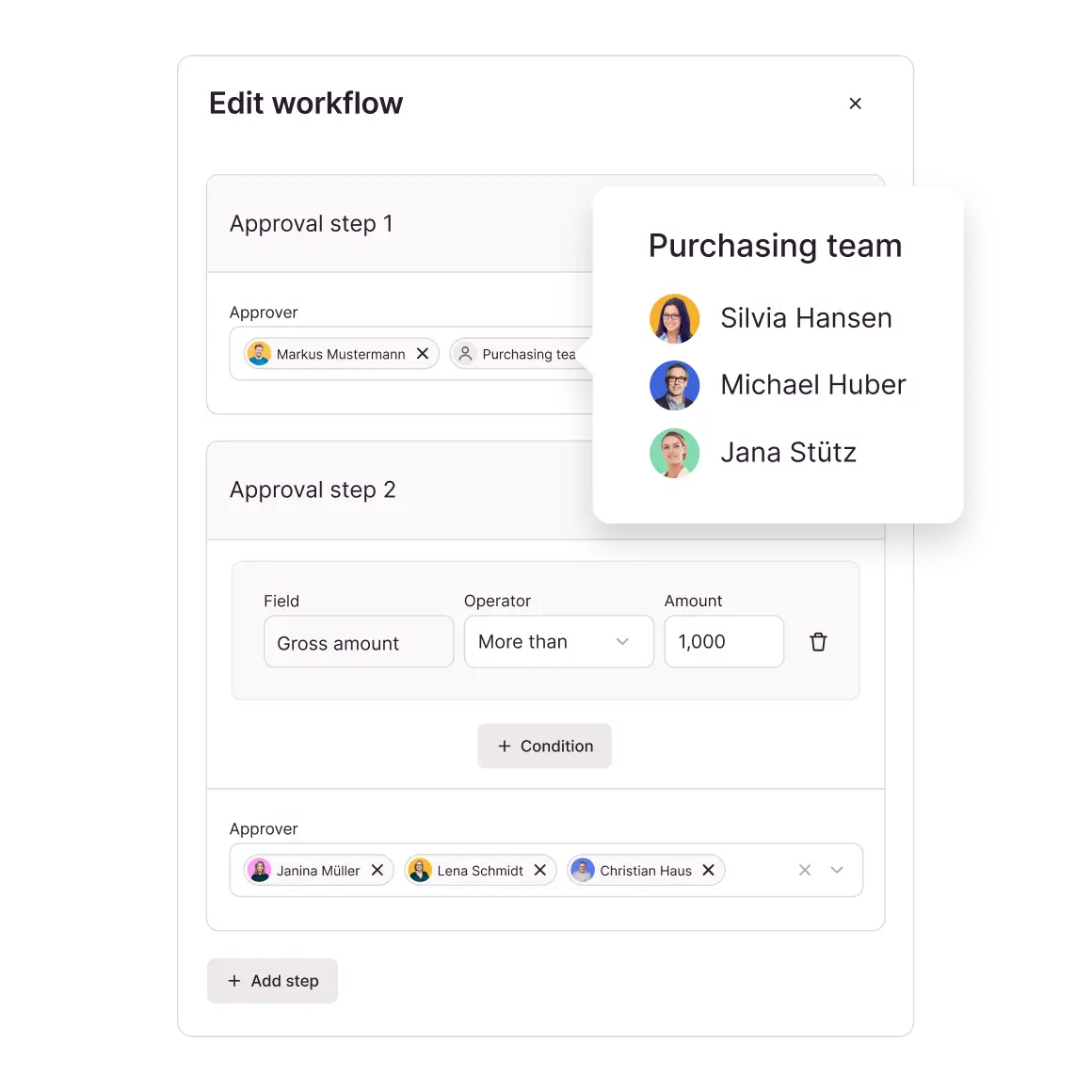
Define whether you prefer a simple or multi-stage approval process
Determine responsibilities: Who needs to be involved and for what amount?
Candis can be used for an unlimited number of users + companies


"As an accountant, I just appreciate Candis for automating & simplifying the approval process and having invoices back quickly with all the info to post."
Christina Bagli, Accountant
Picture People


"Candis makes it possible to manage expense management including invoice approval processes in a smart, digital & less time-consuming workflow with perfectly integrated DATEV interface."
Armin Inselsperger & Lukas Just, Tax advisor
KM Pro
Invoice Approval on the Move
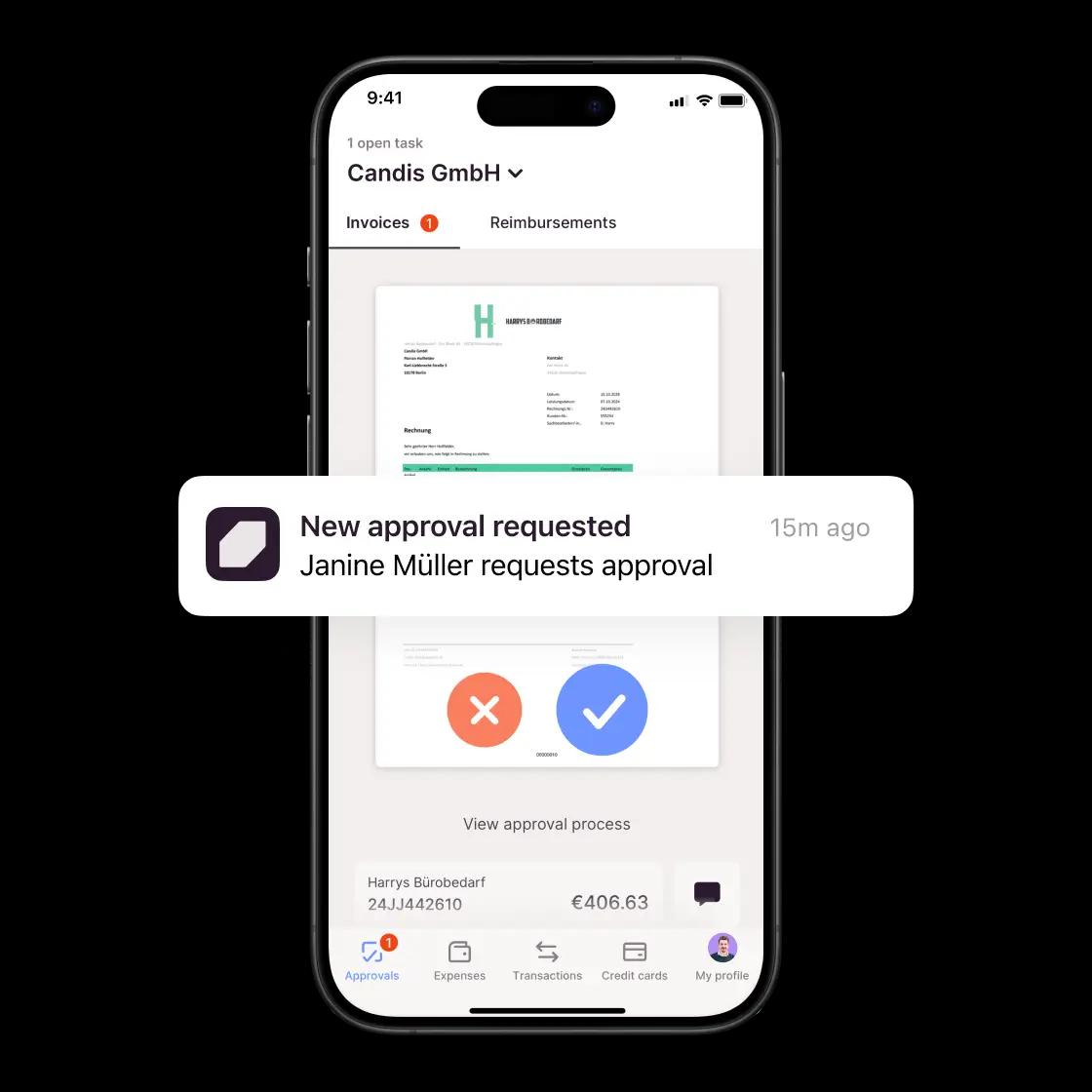
With the Candis app, you can approve invoices whenever you want, wherever you are. Push notifications also remind you of any missing approvals. That way, you can keep everything important on track – and under control. So simple, so Candis.
Receive notifications for new comments on invoices
View, check and approve invoices on your mobile phone
Clarify queries at any time – even when you're on the move


Your advice from our experts

Frequently Asked Questions About Digital Invoice Approval
Invoice approval software manages the digital invoice approval process from assignment through to a documented decision. In Candis, you specify which person or team approves the invoice, the order in which the steps take place, and the conditions that apply. Our software displays pending tasks and records approvals and rejections directly on the invoice.
Yes. For a multi-step invoice approval workflow, you define sequential approval steps and conditions, such as a total amount exceeding 10,000 euros. Candis checks the condition and skips steps that do not apply.
Important: If there are multiple people or a team involved in a single step, one approval is sufficient. To ensure the dual-control principle, create two consecutive steps, each with a designated person responsible.
The person in charge specifies a time period for their absence and designates a substitute. Candis grants the substitute access to pending approvals, adds them to the relevant approval workflows during that time period, and sends them daily reminder emails. In the event of an unplanned absence, administrators can add the substitute retroactively. After the specified period ends, the substitute will no longer receive new approvals.
Yes. Candis imports supported XRechnungen and ZUGFeRD invoices and also displays XRechnungen in a readable format. The invoices then go through the same review and approval process as PDF invoices, including the defined steps and conditions. This means no separate workflow is required for electronic invoice approval. During a regular export, the original format is preserved.
Yes. As soon as the final approval is granted, Candis moves the invoice to the Export section. Digital documents, journal entries, and vendor master data are transferred to DATEV Accounting via the DATEV Posting Data Service. The Invoice Data Service 1.0 transfers documents and posting proposals to DATEV Unternehmen online; the Document Image Service transfers only the documents. Candis thus handles the steps prior to posting. Posting continues to take place in DATEV.
Unlike generative AI, Candis does not rely on probabilities or general knowledge. It automates only those decisions that your accounting department has already made the same way multiple times.
No. A tax audit evaluates systems and processes – specifically, whether there is clear documentation of what happens, when, and according to which rules. This traceability is ensured through procedural documentation, regardless of whether a transaction is processed manually or automatically. Since Candis AI operates exclusively on the basis of manually reviewed transactions, every step is uniformly structured and fully documented.
Candis doesn't make its own decisions. It only automates what your accounting department has already approved in advance. You set the rules, Candis applies them consistently.
Yes. Candis doesn't rely on general standards, but rather on your previous entries. Recurring decisions regarding general ledger accounts, cost centers or workflows can be applied automatically.